
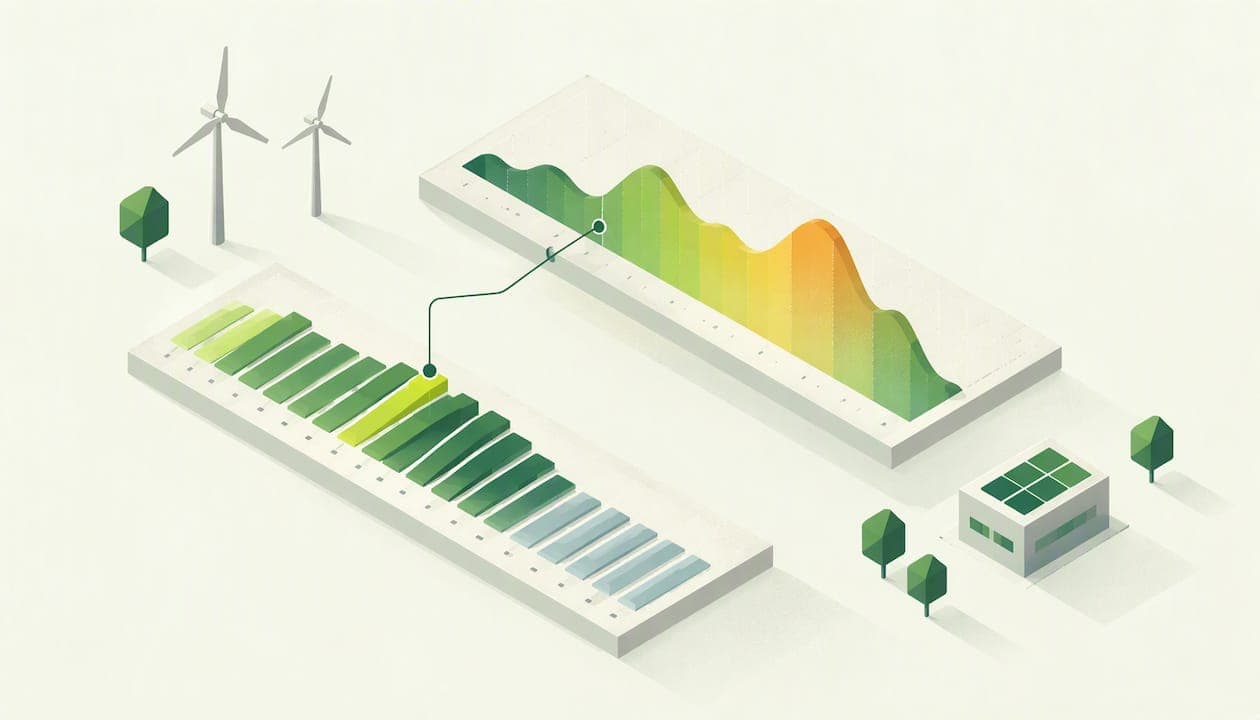
Half-hourly data analysis means taking the 48 meter readings your site produces each day and turning them into answers: when you use energy, how much you waste, whether your bill matches what you consumed, and where the emissions come from. You need three things to do it well: complete data, a routine for checking it, and a way to compare it against an expected pattern. This guide walks through all three, with a focus on UK businesses running one site or many.
TL;DR
- Half-hourly data is your consumption recorded every 30 minutes, 48 readings a day per meter. In Great Britain it is also the basis on which suppliers are charged in settlement.
- The useful analysis is simple: find your baseload, your peaks and your out-of-pattern days, then compare sites on the same basis.
- Check the data before you trust it. Missing or flagged intervals lead to estimates, and estimates lead to bills you cannot verify.
- Half-hourly consumption multiplied by official conversion factors gives a defensible starting point for emissions reporting.
- Our free Starter plan lets you test half-hourly analysis across multiple sites without paying upfront.
Table of Contents
- What half-hourly data is and where it comes from
- Does half-hourly data apply to your business?
- Step 1: check the data before you analyze it
- Step 2: read the shape of the day
- Step 3: find anomalies without staring at charts
- Step 4: use the data to challenge bills
- Step 5: compare sites and find savings
- Step 6: turn half-hourly data into emissions figures
- Try it on your own meters
- A simple monthly routine
- FAQ
- Sources
What half-hourly data is and where it comes from
A half-hourly (HH) meter, or an advanced or smart meter set up to record at that interval, logs how much electricity passed through it in each 30-minute period. Over a day that is 48 data points per meter, and over a year about 17,500. That is enough detail to see a kettle-sized morning start-up, a compressor left running overnight or a chiller that cycles badly in summer. A monthly total shows none of this.
In Great Britain this data is not just a nice-to-have for energy managers. Suppliers and generators compare how much energy suppliers bought with how much their customers used in each half-hour period, and charges are then calculated to balance the difference. This process is called settlement. Ofgem's guidance also records that businesses in profile classes 5 to 8 with advanced meters have had their use recorded half-hourly for settlement since 1 April 2017.
Smart meters feed the same pipeline in a lighter form. Government guidance says smart meters can automatically send up to half-hourly consumption data to suppliers. Note the words "up to": what reaches your supplier, and what reaches you, depends on how the meter is configured and what consent you have given. If you are unsure how to get at your own readings, our guide to smart meter data access for UK businesses sets out the options.

Does half-hourly data apply to your business?
The short answer is that it increasingly does, whatever your size.
- Larger sites. Suppliers are required to take all reasonable steps to make sure larger non-domestic customers have advanced meters that can record half-hourly usage. If you run a factory, a recycling plant or a large warehouse, you almost certainly have an HH meter already.
- Smaller businesses. Under Market-wide Half Hourly Settlement, new-system domestic and microbusiness customers are by default set to share half-hourly consumption data. So the data is becoming standard even for small premises.
- Mixed estates. Many multi-site businesses hold a blend: some HH meters, some smart meters, some older ones billed on estimated or periodic reads. Industry bodies have noted that where most meters can record half-hourly consumption, it makes sense to segment the market by meter type and data availability. The same logic works inside your own estate: start with the sites that have good interval data, and fix the rest in order of spend.
If you are unsure which of your meters are half-hourly, check the bill or ask your supplier. Our piece on half-hourly meter checks that avoid billing errors explains what to look for on the paperwork.
Step 1: check the data before you analyze it
Analysis on bad data is worse than no analysis, because it looks authoritative. Before you draw a single chart, run three checks.
Completeness
A full day has 48 intervals (46 or 50 on the clock-change days). Count them. Gaps matter because missing readings get replaced by estimates. The industry's data collection procedure expects data to pass automated validation, such as sum demand checks that compare the total of the interval data with the start and end register reads. You can do a simplified version yourself: add up a month of half-hourly kWh and compare it with the difference between the opening and closing reads on your bill. A noticeable mismatch is a question for your supplier or meter operator.

Status flags
HH data often arrives with a flag against each interval showing whether it was actually read, estimated or corrupted. The same procedure expects you to watch for flags that mark missing or corrupted intervals, since these lead to estimation and can reduce the accuracy of your insights. If a third of a month is flagged as estimated, treat any "anomaly" in that month with suspicion. Our guide to spotting missing reads before bills are estimated covers how to catch this early.
Source quality
Not all energy data is equal. A guide from the Energy Systems Catapult ranks automatically captured half-hourly data from fiscal meters as the best-quality data, and likely the most accurate. Hand-written readings, estimated bills and sub-meter data on a different clock all sit below it. When you combine sources, label which is which.
Step 2: read the shape of the day
Once the data is clean, plot a typical week as a line chart with time of day along the bottom. Four things stand out.
- Baseload. The level your site never drops below, usually at 3am. This is energy used while nobody is working: refrigeration, servers, standby loads, lighting left on, pumps. A high or rising baseload is the most common finding in any HH analysis, and the cheapest to fix. Our article on baseload vs peak load shows how to separate the two.
- Start-up ramp. How quickly demand climbs at the start of the working day. A sharp spike suggests everything switching on at once; staggering equipment start times can flatten it.
- Peak demand. The highest half-hour in a day, week or month. Peaks matter because networks and some tariff components respond to them. See our practical guide to peak demand analysis for how to find the half-hours that drive cost.
- Weekend and holiday profile. If Sunday looks like Wednesday, something is running that should not be.
A worked example: imagine a small food-processing site whose weekday profile shows 40 kW overnight, rising to 180 kW by 7am. The overnight 40 kW is baseload. If an inspection finds that only 25 kW is refrigeration, the other 15 kW is something else, perhaps compressed air leaking or a heater on a stuck thermostat. Over a year, 15 kW running every hour is 131,400 kWh. (15 × 8,760 hours.) The figures are illustrative, but the arithmetic is how you size any overnight finding.
Step 3: find anomalies without staring at charts
Eyeballing charts works for one meter. It fails when you have dozens. Academic work at De Montfort University noted that graph inspection can spot anomalies but becomes impractical as monitoring expands, and proposed automated fault recognition using signal processing. The principle still holds today.
A practical rule set for any team, with or without software:
- Compare like with like. Compare this Tuesday with the previous four Tuesdays, not with last weekend.
- Set an expected line. Use an average profile for that day type, adjusted for weather where heating or cooling matters.
- Flag deviations. Anything outside a sensible tolerance, for example a night-time reading 30% above the norm, becomes a question.
- Check the cause in order. Meter or data fault first, then equipment left on, then a real change in operations.
The first item on that last list is important. Some anomalies are not on your site at all: a stuck register, a swapped meter or a wrong multiplier. These are the ones that produce billing errors. When you have an interval profile you can lay it next to the invoice and see whether the kWh billed match the kWh used.
Step 4: use the data to challenge bills
Half-hourly data gives you something most bill queries lack: evidence. The routine looks like this.
- Export the interval data for the billing period.
- Total it and compare it with the billed kWh. Differences point to estimated reads or a wrong meter reading.
- Check the billed capacity or availability charge against your actual maximum demand.
- Check the rates applied to time bands, if your tariff has them.
- Check taxes and levies. For instance, if you claim a Climate Change Levy discount or exemption, make sure it is applied; our note on Climate Change Levy rates and what finance teams check on April bills gives the detail.
- Raise the difference with your supplier, attaching the interval data.
Doing this by hand each month for one site is feasible. Doing it for twenty is where automated bill validation earns its keep.
Step 5: compare sites and find savings
Facilities managers with several sites need a common yardstick. Raw kWh is misleading: a large site will always use more than a small one. Normalize instead.
| Measure | How to calculate | What it tells you |
|---|---|---|
| Baseload per square meter | Overnight kW divided by floor area | Which sites waste energy when closed |
| Peak-to-average ratio | Highest half-hour divided by average half-hour | Which sites have spiky, costly demand |
| Out-of-hours share | kWh outside opening times divided by total kWh | Where equipment runs unnecessarily |
| Weekday vs weekend ratio | Average Saturday-Sunday load divided by weekday load | Whether sites really shut down |
| kWh per unit of output | Total kWh divided by units produced, patients seen or hours open | Real efficiency, independent of size |
Rank your sites on each. The site that is worst on out-of-hours share is usually your first visit, since the fix (schedules, timers, switching off) costs little. The site with the worst peak-to-average ratio is your first candidate for staggered start-ups or load shifting.
Time-based tariffs add another lever. Government guidance notes that smart meters let organizations monitor and manage their use, and that time-of-use tariffs can reward them for using energy away from peak times. Ofgem likewise sees half-hourly settlement as an enabler of flexibility that gives suppliers an incentive to offer products rewarding efficient, flexible consumption. Whether such a tariff suits you depends on how movable your load is, and your own profile is how you find out.
The same data supports planning. If you can describe demand by half-hour, you can project it: see our practical guide to energy demand forecasting. For heating plant, interval data also shows how efficiently boilers run; our article on boiler efficiency tracking with half-hourly data goes through it, and the heat decarbonisation plan guide shows how interval data shortens the survey work.
Step 6: turn half-hourly data into emissions figures
Carbon reporting starts with activity data, and half-hourly consumption is about as granular as activity data gets. The Energy Systems Catapult guide explains that granular energy consumption data can be used to calculate emissions with emissions factors, and that government conversion factors can be used for current-year emissions. In practice:
- Scope 2. Purchased electricity: kWh from your HH meter multiplied by the relevant grid factor for the reporting year.
- Scope 1. Gas for heating or process, and fuel burned in owned vehicles or plant. Gas meters with interval data help; fleet fuel needs its own records.
- Scope 3. Much of this sits outside your meters (purchased goods, travel, waste), but energy-related items such as transmission and distribution losses and upstream fuel emissions are tied to your consumption figures.
The government's own framing is that a flexible energy system is vital to decarbonising the sector and reaching net zero by 2050, and that half-hourly data from smart meters is driving new approaches to managing demand and integrating renewables. For a business, the practical point is that the same data cuts both cost and carbon: the kWh you stop wasting are kWh you never have to report.
One limit is worth stating plainly. Your meters only cover what runs through them. Half-hourly data will not capture a supplier's emissions or a courier's diesel, so use it as the backbone of Scope 1 and 2 and as an input to Scope 3, not as the whole inventory.
What we have learned about half-hourly analysis
Most teams we speak to do not lack data. They lack time. A finance officer has a stack of invoices, a facilities manager has thirty sites, and a sustainability lead has a reporting deadline. Half-hourly data sits in a portal somewhere, and nobody opens it until something goes wrong.
That is why we built EnerlyticsAI around the routine described in this guide: validate the bill against the data, flag anomalies automatically, show half-hourly consumption in one place and carry the same numbers into Scope 1, 2 and 3 reporting. We think the first useful result should not need a procurement process, so the core platform is free to use, including across multiple sites.
Our view is simple. Accurate data should not be a premium feature, and net-zero planning begins with knowing what you actually use, half-hour by half-hour.
Chris
Try it on your own meters
You can follow every step above with a spreadsheet, and for a single site that is a fair start. If you manage several sites, or want bill checks and anomaly alerts without the monthly manual work, EnerlyticsAI's half-hourly data view puts the profiles for all your sites in one place. Our Bills page covers automated bill validation, Sites covers multi-site management and Reports covers carbon reporting.
The Starter plan is free forever, so you can register and load your first site without a card or a commitment. If you later need more, paid plans are Eco at £49 per month, Growth at £79 per month, Professional at £149 per month and Scale at £299 per month.
A simple monthly routine
If you do nothing else, do this once a month for each site.
- Confirm the month has no gaps and note the share of estimated intervals.
- Reconcile interval kWh with the invoice.
- Record baseload, peak demand and out-of-hours share.
- Compare with last month and the same month last year.
- Log every anomaly with a cause and an owner.
- Update your emissions figure using the correct factor for the period.
Twenty minutes per site is realistic once the template exists. Teams that keep this up tend to find that the first three months produce the savings and the rest of the year protects them.
FAQ
What is half-hourly data analysis?
It is the study of energy consumption recorded every 30 minutes, usually 48 readings a day per meter. You use it to find baseload, peaks and unusual patterns, to check bills against actual use and to calculate emissions. It is far more precise than monthly totals.
Is a half-hourly meter the same as a smart meter?
Not exactly. A half-hourly meter records in 30-minute intervals for settlement, while a smart meter is a communicating meter that can send up to half-hourly data to your supplier. What data you actually receive depends on the configuration and your consent.
How do I know whether my half-hourly data is reliable?
Count the intervals per day, check how many are flagged as estimated and compare the interval total with the billed kWh. Fiscal-meter data captured automatically is generally the most accurate source. Persistent gaps or mismatches should go to your supplier or meter operator.
Can half-hourly data help with carbon reporting?
Yes. Multiply your electricity and gas consumption by the current government conversion factors to get Scope 2 and Scope 1 figures. It does not cover all Scope 3 categories, which need data from outside your meters.
Do I need to pay to analyze half-hourly data?
Not to start. A spreadsheet works for one site, and our Starter plan is free forever and supports multiple sites. Paid plans begin at £49 per month for the Eco plan.
Sources
- Moving to half-hourly energy reads (BSC P272 and P322): A guide for businesses, Ofgem
- An introductory guide to smart meters for the public sector, GOV.UK
- Decision on the statutory consultation on proposals to modify SLC 47, Ofgem
- DWG report to Ofgem on the Target Operating Model
- BSCP502: Half Hourly Data Collection for SVA Metering Systems
- Understanding your energy data, Energy Systems Catapult
- New approaches to gathering, analysis and interpretation of half-hourly energy metering data